

-
 Redaction
Thermal throttling: why laptops lie about speed
Your laptop's boost clock is a sprint, not a marathon. Learn how thermal throttling, TDP tricks, and chassis design kill the performance you paid for.
The deceptive reality of the mobile workstation
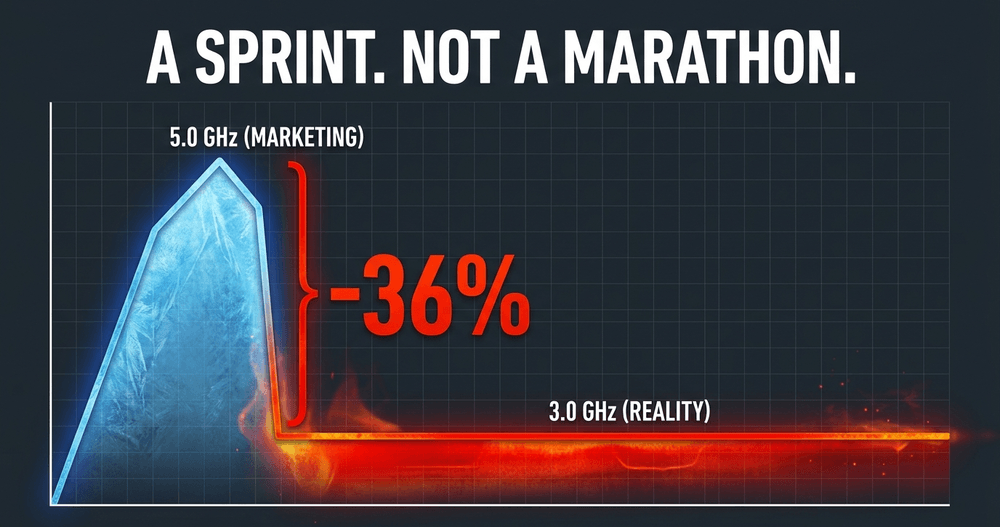
You just dropped three thousand dollars on a machine that boasts a boost clock of 5.0 GHz. You unbox it, run a quick ten-second benchmark, and feel the rush of seeing that number hit the screen. But thirty minutes into a heavy render or a high-end gaming session, something changes. The fans are screaming, the chassis is hot enough to cook an egg, and suddenly your high-end silicon is crawling at speeds reminiscent of a budget office laptop. Welcome to the reality of the silicon lie. It's the dirty secret of the laptop industry: your machine is rarely as fast as the box says it is.
Hardware manufacturers sell you on peak performance figures that represent the mechanical equivalent of a sprinter's top speed during a ten-meter dash. In the world of laptops, the limiting factor isn't the architecture or the transistor count - it's the physics of heat. Thermal throttling is the invisible ceiling that separates the marketing brochures from the actual user experience. If you're an engineer, a gamer, or a creative professional, understanding why this happens is the difference between making an informed purchase and falling for a high-priced illusion.
Anatomy of a slowdown: What is thermal throttling?
Thermal throttling is not a defect. It's a survival instinct programmed into the firmware. Modern silicon - specifically the Central Processing Unit (CPU) and Graphics Processing Unit (GPU) - generates an immense amount of heat when transistors switch at gigahertz speeds. In a desktop, you have massive air coolers or liquid loops to dump that heat. In a laptop, you have a chassis thinner than a magazine and a cooling solution that often relies on tiny copper pipes and plastic fans.
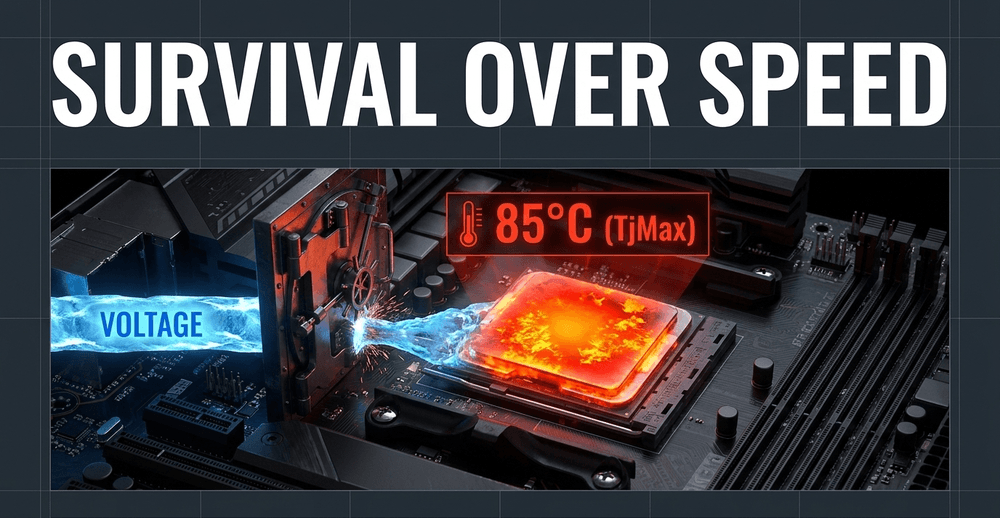
When the internal sensors detect that the silicon temperature is approaching its TjMax (Thermal Junction Maximum), the system takes immediate action. To prevent the chip from literally melting its own solder or damaging the delicate internal circuits, the motherboard reduces the voltage and the clock frequency. This lowers the power draw and, by extension, the heat output.

Under sustained thermal pressure, a CPU can drop well below its advertised boost clock - sometimes losing 30-40% of its peak speed just to stay alive. Most CPUs begin the downward slide once they cross the 80-85°C threshold. For Intel's Core Ultra H-series, brief excursions past 100°C are technically within design parameters during initial boost bursts, but sustained operation there signals the cooling system is working at its absolute limit. AMD's Ryzen 9 HX chips, by contrast, are actually engineered to sustain around 95°C under full gaming load - which surprises many users who see those numbers and panic. If the cooling solution cannot keep up, the chip will continue to downclock until it reaches a thermal equilibrium, often at a fraction of its advertised potential.
Here's what most reviews miss: the first thirty seconds of a benchmark look great. The next ten minutes at throttled power look mediocre. Short-burst benchmarks are basically the laptop industry's version of those "up to" broadband speed claims - technically true, practically useless.
The TDP trap and the hidden GPU tiers
One of the most egregious parts of the silicon lie is the manipulation of Thermal Design Power (TDP). This metric is supposed to represent the maximum heat a component is expected to dissipate under a normal workload. The industry has turned it into a moving target.
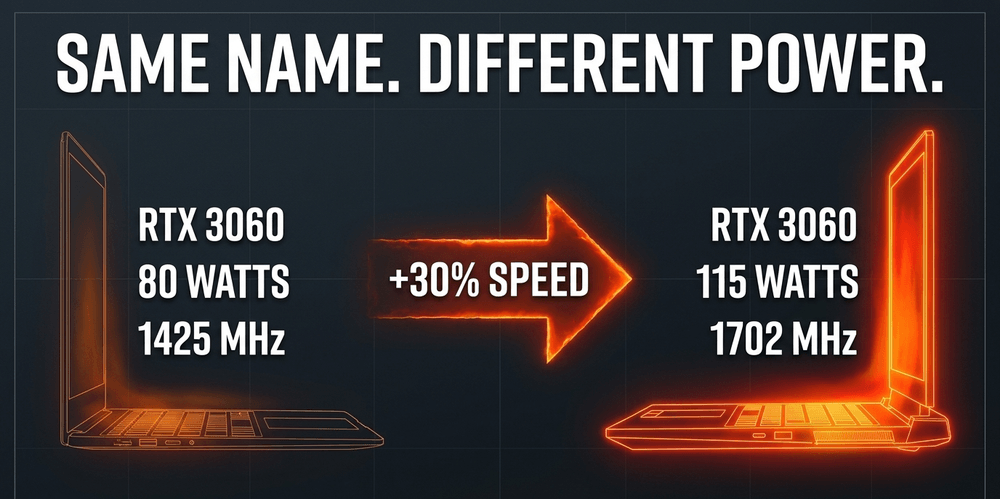
Take the NVIDIA RTX 4070 laptop GPU. Its Total Graphics Power (TGP) can be configured anywhere from 35W to 115W depending on what the OEM decides. At 35W, boost clocks hover around 1,230 MHz. At 115W, the same chip reaches 2,175 MHz. That's a 77% difference in clock speed from identical silicon. The 115W version can outperform the 35W version by 30-50% in real gaming scenarios. To the average consumer, both are "RTX 4070" laptops. In reality, they are completely different products wearing the same name badge.

It gets worse. A lower-tier GPU running at high TGP can actually outperform a higher-tier GPU constrained by a thin chassis. A laptop with an RTX 4050 running at 115W can beat an RTX 4060 running at 85W in a slimmer machine. You could spend more money and end up with less performance - not because of the GPU, but because of the cooling design around it.
Marketing departments rarely put TGP wattage anywhere prominent. They rely on the brand name of the silicon to do the heavy lifting, knowing full well that the cooling constraints of the specific chassis will prevent the chip from reaching its potential. This is not an oversight. It is a deliberate use of brand recognition to obscure a performance gap that would cost them sales if it were clearly labelled.
The shared thermal budget problem
There's a dimension to the throttling problem that even technically-minded buyers often overlook: CPU and GPU don't just compete for watts - they compete for the same cooling infrastructure.
A flagship gaming laptop might pair a 65W CPU with an RTX 4070 GPU at 115W TGP. That's a combined 180W pushing through one shared heat pipe stack and one fan array. The moment you hit a sustained gaming load, both components are demanding full power simultaneously. Within 60-90 seconds, the CPU hits 95°C and the GPU hits 83°C. The shared cooling system simply cannot move heat fast enough for both to stay in peak boost territory. Something has to give - and it's usually your frame rates.
This is a physics problem as much as an engineering one. When you shove that much heat-generating silicon into a chassis the size of a notebook, the laws of thermodynamics are not impressed by the marketing brochure.
The silicon lottery and manufacturing variance
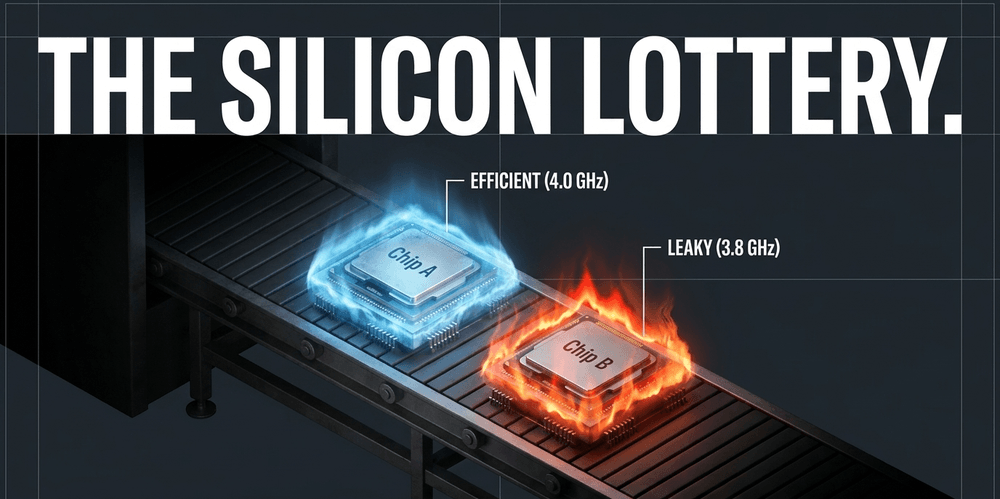
Even if you buy two identical laptops from the same production line, they may not perform the same. This is known as the silicon lottery. No two chips are perfectly identical at the atomic level. Some slices of silicon are more efficient - they hit higher clock speeds at lower voltages, generating less heat. Others are "leaky," requiring more voltage to stay stable, which leads to faster heat buildup and earlier throttling.
This variance means one user might see sustained 4.0 GHz while another, with the exact same model in the same room, sees 3.8 GHz. When manufacturers set their advertised speeds, they often use the best-performing chips as the benchmark, leaving those who draw a shorter straw with a machine that hits thermal limits faster than expected.
Every chip is different. Some can safely handle an undervolt of -160mV; others destabilize past -60mV. The only way to know which side of the lottery you landed on is to test it.
Why your cooling fails: The environmental factors
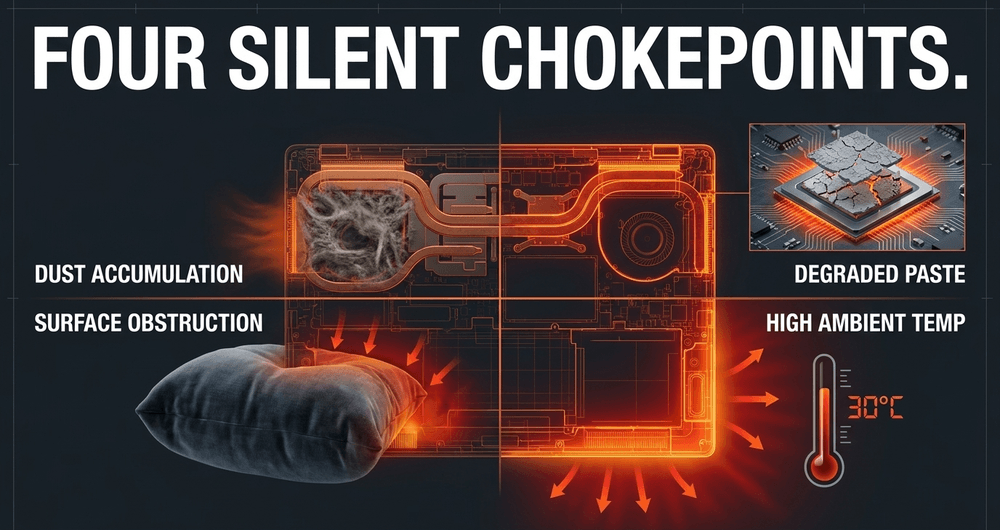
Laptops are portable, but portability is the enemy of thermal stability. The most common causes of throttling are often external or maintenance-related rather than purely architectural. Consider what's silently killing your performance:
- Dust accumulation: A laptop is essentially a vacuum cleaner. Over months of use, the intake vents and the dense fins of the heatsinks collect carpet fibers, pet hair, and skin cells. This debris forms a literal blanket over the cooling system, trapping heat inside. Regular cleaning every few months is not optional maintenance - it's performance-critical.
- Surface obstruction: Using a high-performance laptop on a bed, sofa, or any soft surface is a recipe for instant throttling. These surfaces mold to the bottom of the chassis, blocking intake vents and forcing the fans to work against a vacuum. A laptop on a soft surface can run 15-25°C hotter than the same machine on a hard desk. This is also the fastest, zero-cost fix you have available to you.
- Degraded thermal interface material: The thermal paste between the chip and the heatsink is a chemical compound designed to fill microscopic gaps. Heat cycles cause this paste to dry out, crack, or pump out from the edges over time. After 2-3 years, paste degradation is a common cause of 10-20°C temperature increases. When the paste loses its conductivity, the chip cannot transfer heat to the pipes effectively.
- Ambient temperature: If your room is 30°C, your laptop has a much harder time cooling itself than in a 20°C room. The delta between the component and the ambient air is what drives heat exchange. As that delta narrows, cooling efficiency drops proportionally.
Advanced mitigation: Beyond the cooling pad
If you want to reclaim the performance you paid for, you have to move beyond the plug-and-play mindset.
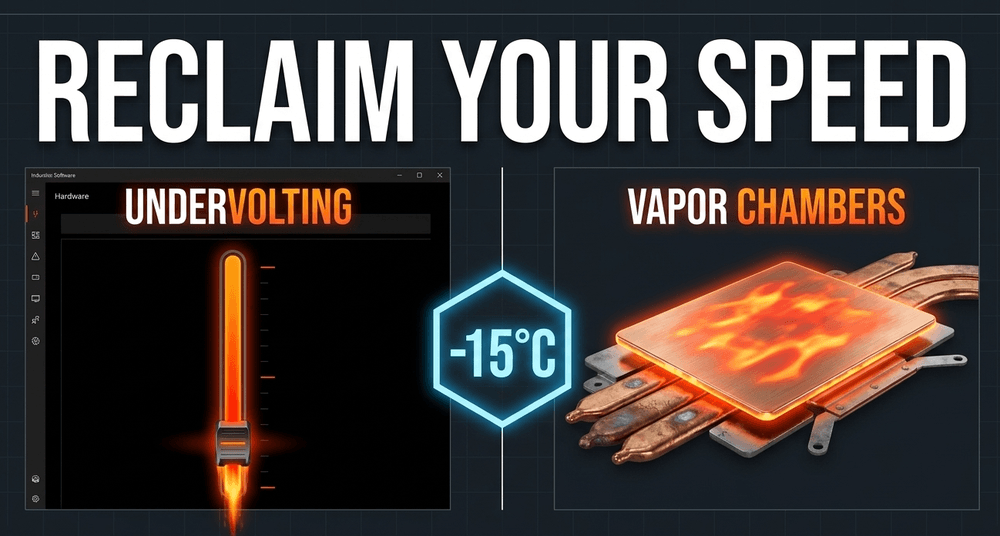
Enthusiasts often turn to undervolting - reducing the voltage supplied to the CPU via software like ThrottleStop or Intel XTU. By finding the lowest stable voltage for a specific clock speed, you reduce heat output without losing performance. In many cases, an undervolted CPU actually runs faster in sustained workloads because it stays below the thermal threshold longer. In one documented case, a creator laptop that was thermal throttling at 95°C during long renders was undervolted by -80mV. Temperatures dropped to around 87°C, turbo duration improved, and render times dropped by roughly 4%. Not headline numbers, but meaningful in real workflows.
A word of caution on undervolting in the current generation: some manufacturers, particularly on newer Intel platforms, have locked voltage controls at the BIOS level. Check whether your laptop model supports it before investing time in the process. You'll know quickly - ThrottleStop will show a "Locked" indicator in the FIVR menu.
Beyond software tweaks, hardware cooling solutions have improved substantially:
- Vapor chambers - flat, liquid-filled heat spreaders that are significantly more efficient than traditional round copper pipes - are now common in mid-to-high-end gaming laptops.
- Liquid metal thermal interface material offers dramatically higher thermal conductivity than traditional paste, but it's electrically conductive and difficult to apply correctly. High-risk, high-reward, and not a first attempt for the inexperienced.
- Repasting with quality compound is a middle-ground option accessible to most users. Simple maintenance like dust cleaning and repasting can drop internal temperatures by 10-15°C. For a machine hitting 95°C and throttling hard, that 15°C drop is the difference between a stuttering mess and a smooth experience.
For mechanical keyboard enthusiasts and engineers who want the full picture on selecting a laptop for hardware interaction, it's worth reading about mechanical switch actuation physics - because the quality of your sustained typing experience is equally affected by chassis heat at the keyboard layer.
The long-term cost of heat
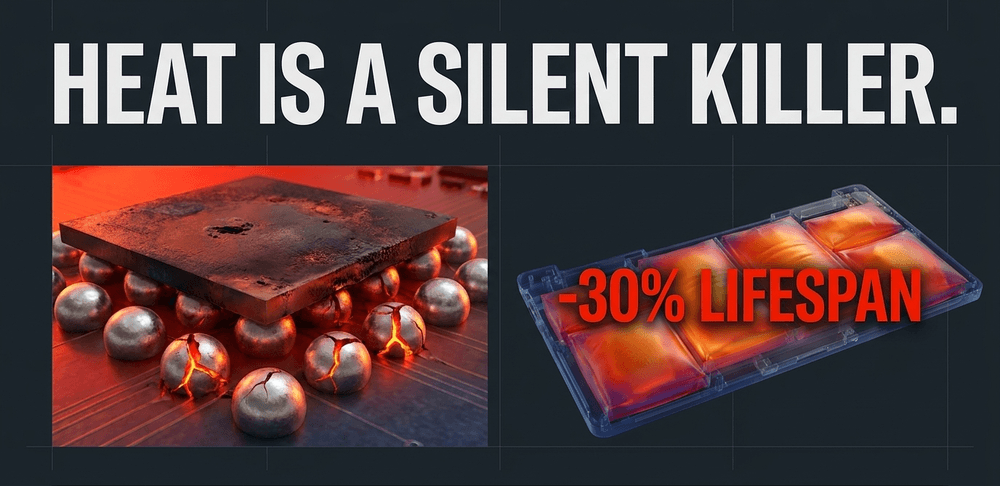
Thermal throttling isn't just about losing frames in a game or minutes in a render. It's about the longevity of your investment. Silicon is durable, but heat is a silent killer. Chips that consistently operate at their thermal limit undergo more thermal expansion and contraction cycles. This stress can eventually lead to micro-fractures in the solder balls that connect the chip to the motherboard.
Hardware running consistently at 90°C can see a meaningful reduction in its expected operational lifespan. The exact figure depends on workload patterns, but the direction is unambiguous: sustained extreme heat shortens hardware life. For users who want their machines to last a decade, thermal management isn't optional.
Sustained high heat also degrades the battery faster, since heat is the primary catalyst for the chemical breakdown of lithium-ion cells. The machine that runs hot saves you nothing on the battery replacement it quietly accelerates.
Apple Silicon: A different approach to the lie
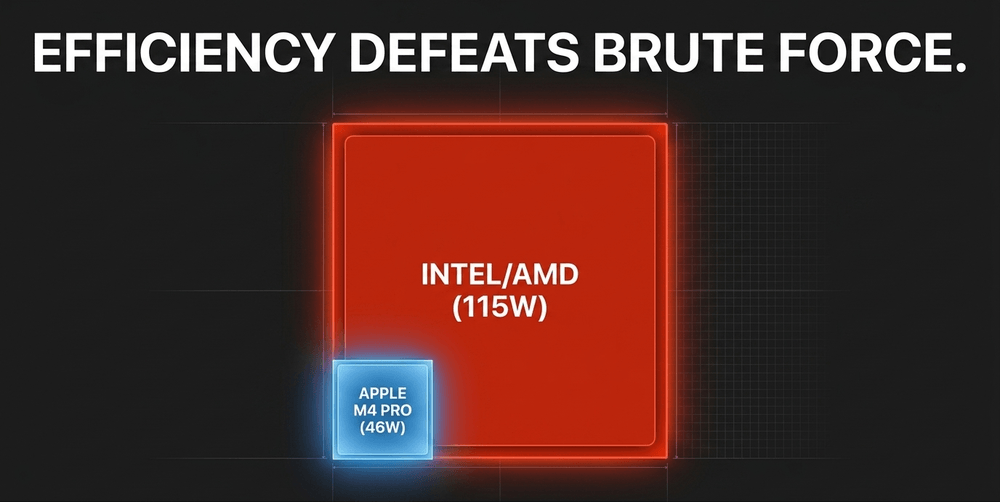
In recent years, the industry has seen a shift toward efficiency as a real solution to the thermal problem. Apple Silicon (M-series chips) has fundamentally changed the conversation by focusing on performance-per-watt. Because these chips are more efficient, they generate less waste heat.
The M4 Pro chip operates at around 40W peak CPU power draw during intensive benchmarks, settling to approximately 32W sustained. At the system level including GPU, the SoC hits roughly 47-48W combined at peak, then reduces further under sustained load. Compare that to a high-end Intel Core Ultra H-series chip, which can push past 100W in sustained scenarios inside a gaming-class chassis.
The result is a machine that barely needs to throttle under typical professional workloads, delivering consistent performance whether it's plugged in or running on battery. That consistency is the antithesis of the silicon lie found in Windows gaming laptops that can lose half their speed the moment the power cord is pulled.
That said, Apple Silicon isn't without its own thermal quirks. The M4 Max chip in a 14-inch MacBook Pro chassis - a relatively small form factor for a high-wattage chip - runs noticeably hotter than the same silicon in the 16-inch body. The laws of physics haven't been suspended, just managed more elegantly. And macOS software compatibility remains the other side of the trade-off that no thermal benchmark will show you.
What "good thermal design" actually looks like
Not all throttling is a design flaw. Some is expected, acceptable, and baked in. The question is where the line is.
A laptop that boosts hard for 30 seconds and then settles into a lower, sustained performance plateau is probably working as intended. That's turbo boost doing its job followed by the cooling system finding equilibrium.
What is a design flaw is a laptop where:
- Throttling happens immediately, right out of the box, with no background processes running
- Multiple independent reviews describe the same behavior
- Re-pasting and cleaning help only marginally or not at all
- Other laptops with the same CPU and GPU combo perform significantly better
At that point, the manufacturer shoved too much silicon into too little chassis and hoped nobody would benchmark it under sustained load. Some of them were right about that bet. Many review outlets still rely on short burst tests to evaluate performance, which means the throttling behavior never surfaces in the write-up. The only way to know is to look for reviewers who specifically run looped sustained-load tests - Cinebench loops, extended gaming runs, multi-hour render sessions.
Final verdict: How to buy without being fooled
To avoid being a victim of marketing hyperbole, look beyond the CPU and GPU model names. When shopping for a new laptop, search for independent reviews that include sustained load benchmarks. Look for the TDP or TGP ratings of the GPU and check whether the manufacturer uses vapor chambers or standard heat pipes. Check the default thermal profile - many OEMs ship in "Balanced" mode, which can cut GPU TGP by 15-30% against what the hardware actually supports. You might need to install the manufacturer's companion software and switch profiles to get what you paid for.
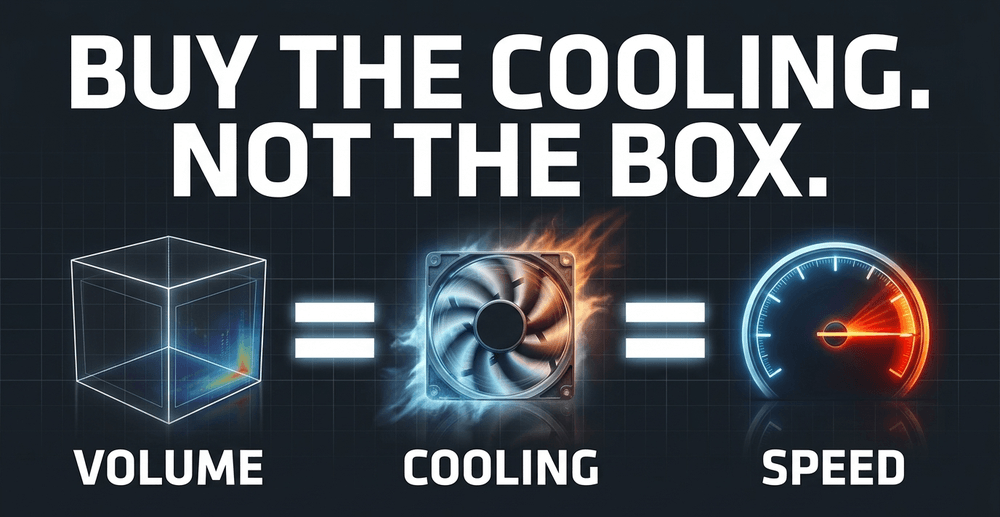
Never assume a thinner laptop with the same specs as a thicker one will perform equally. In mobile computing, volume equals cooling, and cooling equals speed. The same GPU will run at fundamentally different clock speeds depending on the wattage the chassis can sustain.
Until there's a genuine paradigm shift in cooling technology - perhaps through solid-state active cooling or graphene-enhanced heat exchangers - the silicon lie will remain a standard feature of the industry.
Don't buy the speed on the box. Buy the cooling inside the chassis.
Share now









Key takeaways
- Thermal throttling is firmware-level self-preservation - it reduces clock speeds to prevent hardware damage, not a defect
- CPUs typically begin throttling between 80-85°C, with Intel Core Ultra H-series tolerating brief bursts past 100°C and AMD Ryzen HX chips designed to sustain around 95°C
- The same GPU model can have wildly different performance: an RTX 4070 laptop GPU ranges from 35W to 115W TGP, producing clock speeds of 1,230 MHz vs 2,175 MHz - a 77% difference on identical silicon
- A lower-tier GPU at high TGP can outperform a higher-tier GPU at low TGP - meaning you can pay more and get less performance if you ignore wattage
- CPU and GPU share a single heat pipe stack inside a laptop chassis; combined sustained loads of 180W or more can push both chips to thermal limits within 60-90 seconds
- A laptop placed on a soft surface like a bed or sofa can run 15-25°C hotter than the same machine on a hard desk - zero cost to fix
- Dust buildup and dried thermal paste are among the most common real-world causes of throttling; paste degradation over 2-3 years can cause 10-20°C temperature increases
- Dust cleaning and repasting can drop internal temperatures by 10-15°C - enough to convert a throttling, stuttering machine into a smooth one
- Undervolting via ThrottleStop or XTU can improve sustained performance without losing clock speed, but some modern laptops have voltage controls locked at the BIOS level
- The Apple M4 Pro SoC draws approximately 40W peak CPU power (settling to ~32W sustained), compared to Intel Core Ultra H-series chips that can exceed 100W under sustained gaming loads
- Hardware running consistently at high temperatures undergoes accelerated thermal expansion cycles, risking micro-fractures in solder connections and degraded battery chemistry
- The "Balanced" thermal profile shipped by default on many gaming laptops can silently cut GPU TGP by 15-30% against hardware capability - switching to "Performance" mode in the manufacturer's software may be necessary to unlock full specs
Sources
- NotebookCheck - NVIDIA RTX 4070 Laptop GPU benchmarks and TGP analysis https://www.notebookcheck.net/NVIDIA-GeForce-RTX-4070-Laptop-GPU-Benchmarks-and-Specs.675690.0.html
- GGFix - Laptop thermal throttling causes and fixes (2026) https://ggfix.dk/blog/laptop-thermal-throttling-fix
- LaptopMedia - Comparing all RTX 4070 TGP variants https://laptopmedia.com/analysis/comparing-all-rtx-4070s-whats-the-real-difference-between-65w-105w-120w-and-140w-tgp-and-should-you-invest-more-money/
- NotebookCheck - Apple M4 Pro analysis: power consumption and efficiency https://www.notebookcheck.net/Apple-M4-Pro-analysis-Extremely-fast-but-not-as-efficient.915270.0.html
- UltrabookReview - The ThrottleStop Guide (2026) https://www.ultrabookreview.com/31385-the-throttlestop-guide/
- Published 2026-07-25 07:00
- Modified 2026-07-25 07:00

-
Redaction